DogLua
- Lua scripting for Project Dogwaffle:
DogLua
- Lua scripting for Project Dogwaffle:
|
|
|
|
|
|
|
DogLua
- Lua scripting for Project Dogwaffle: |
|
|
|
|
|
DogLua: Overview - Downloading - Reference
Guide - Sample Scripts - Lua
Browser
see also: GUI Server - more SDK Info |
||
| the
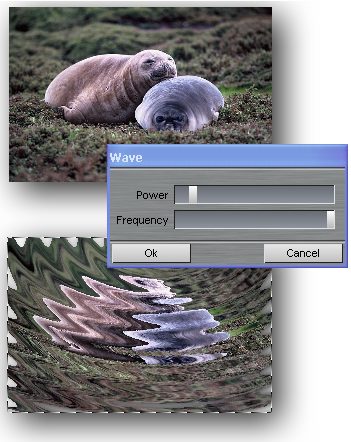
Wave Deformation Filter....... |
||
| Here's a wave deformation filter
as a Lua script. Perfect if you want to make variants of it, with more
hot spots, or just one at a different location, etc. The code shown here puts one hotspot wave deformer in the middle of the document. If you have a selection mask present, only the selected parts will be affacted, as shown in the example here: only the lower part is deformed (but the center of deformation is of course still in the middle of the image buffer) |
|
|