

What's New?
Nodes-based Style
Editor 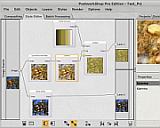 |
Intro
Video amongst PWS's Facebook Videos (must be logged into Facebook) |
|
|
| Getting started with
Digital Painting on a slim budget:  PD Artist Draw, Sketch, Animate & Paint powered by Project Dogwaffle
|

| More
Affordable 2D + 3D Software Animation Tools at lowest prices! Poser - Anime Studio - Carrara - Manga Studio - Bryce and much more from Purplus |
|
Intro - Tutorials - Sales - Examples - What's New
Spring
2012:
There have been several more Updates: v3 is out Febr. 2010 - New Features in v1.1 PostworkShop 1.1 now comes with a Windows Installation Wizard. Download the zip file, run the installer and start creating. The Properties+Preview panel can now be displayed separately from the Projects/Styles tabs. click here The Property Editor sliders are no longer limited to the range defined in the style. click here Insert above/below/before/after commands added to the Layer Bowser context menu (Compositing view). click here All windows now useable on 1024x600 netbook screens. New artistic filters, new styles and geometrical brushes have been inserted. click here The Brush Manager now displays all the members of the selected brush family and the brushes can be individually switched on/off. click here The property and opacity sliders now change the preview in real-time. Load and save layered Adobe Photoshop* PSD images. click here Adobe Photoshop* Brushes can be imported as either PostworkShop brushes or images to blend into your project. click here "Reset properties" button added to the Property Editor. click here Style Editor: improvements in Auto Arrange (much less overlapping of filter nodes). The Palette Editor now includes the palette selector list. click here Improved keyboard navigation in the Style Browser. Style Editor: Ctrl/Alt/Shift + Double-click now works similarly as in the Compositing view. click here *Adobe and Photoshop are either registered trademarks or trademarks of Adobe Systems Incorporated in the United States and/or other countries. |
| Product Info |
| > Why PostworkShop?
|
| > Styles
Editor |
| Tutorials |
| Our Tutorials |
| Tutes by Xycod: - first steps - using styles - creating styles - advanced & more... |
| More Resources |
| Postworkshop.net |
| Xycod.com |
see the gallery:

|
|