
Hello Puppy
Hello again,
here is another update from the "Dogwaffler of the
Moment", our sporadic newsletter about digital
painting and animation as well as visual effects and exploring 3D creativity with
Project Dogwaffle. If you want to catch up on recent or prior issues of our newsletters and announcements, start here:
http://www.thebest3d.com/dogwaffle/newsletterThis specific newsletter issue is here:
http://www.thebest3d.com/dogwaffle/newsletter/131-Hello-Puppy
In this issue:
A Sneak Peek into PD Howler 11
PD Howler 11 is coming soon. Here are a few sneak previews to show some of what's coming with v11, to wet your appetite.
Adjustable Gradients - a new tool to create gradients on-screen
See this intro video: https://youtu.be/Qc1ng5OCzH8
Callouts and Vector Objects - quickly add a bubble for dialogs, and then some

Great Improvements in Puppy Ray (GPU version)
There are numerous new features, some subtle, others very impactful and visible. This is with the GPU version of our ray tracer.
- The Sun can be visible (i.e. seen in the sky)
- There is a Water plane that can be on or off. This adds lakes or oceans.
- The Water plane can carry waves, and reflects the surroundings and sky, even the Sun.
- Waves on the water plane can be animated
- The Water plane can be transparent, with refraction, revealing the terrain below the water.
- A Bump map can be enabled on the terrain. There are several presets.
- there are several new presets for the Sky
We also have made some significant improvements in the rendering quality. Plus, it is possible to configure Windows to not hit the timeout too early. In the past, if a rendering on GPU took more than 2 seconds, it could easily cause Windows to reset the graphics driver, thinking it was unresponsive and therefore stuck. We can now easily run renderings that are 8 or more seconds per pass, with numerous passes. (into the dozens or even hundreds of passes for final rendering).
Here are just a few renderings done with Puppy Ray 11. Click the images to see them at full size.


There is more. For example:
Improved curve and rotoscope tools
⦁ Transformation handles
⦁ Free transform
⦁ Shift select points
⦁ Onscreen keyframes
There are also a number of new filters. Some of them you may have seen in recent months, in the form of free plugins. The ones that are integrated into Howler 11 will be faster, and have more features, such as being usable in an animation.
Filters
⦁ Julia set rendering*
⦁ Water drops
⦁ Shape bombing
⦁ Bilateral filter
⦁ Make a normal map
⦁ Fracture
⦁ Worly noise
⦁ Water caustics
⦁ Water ripples
Stay tuned for more about PD Howler 11, coming soon. We'll be announcing new features and showing tutorials in coming weeks.
Pre-Ordering PD Howler 11
You can read more about it here: http://www.thebest3d.com/sales
If you want to pre-order Howler 11, you can do so now. You will initially get delivery of the Howler 10 installer, but an updated installer will replace it soon, probably sometime in March.
If you don't have PD Howler 10 yet, getting PD Howler 11 by pre-ordering is a great way to get started. The regular price for PD Howler 11 is $49.
If you already have PD Howler 10, you can use a discount coupon to buy the upgrade. Contact us to request your coupon. The discount is 50% off the full price.
If you have an earlier version, such as PD Howler 9.6 or earlier, we still also offer a discount for upgrading to Howler 11. Contact us for your discount coupon if you'd like to pre-order it. You'll receive v10 now and the v11 installer later, once released. The discount for upgrading from v9.6 or earlier versions is 35% off.
Also, if you don't have any version of Dogwaffle yet, here's your chance to get in: a 25%
Use this discount coe to order PD Howler 10 or 9.6, or PD Artist 10 or 9.6: EJYJ000NP
Start with that if that fits your budget better, and consider upgrading later.
Tutorials: GPU Stuff for Puppy Ray
We have a few new tutorials, focused on configuring the GPU to allow for better rendering in Puppy Ray:
TDRs - notes on using the GPU in Project Dogwaffle
https://youtu.be/UyBM5p8EMk4Notes on AMD GPUs for working with PD Howler
PuppyRay 11 - a First Look, Part1
https://youtu.be/amToQaUPLDcPuppyRay 11 - a First Look, Part2
https://youtu.be/GZd-aVmDNU4When the Sun goes down - Puppy Ray unleashed
https://youtu.be/KXb3aOP6l3cWe also have started a series of tutorials for developers:
API Tutorials
https://www.youtube.com/playlist?list=PLBqbdhU5umbcv5Q1zr2Ko1o7uyXIQxBFfIntroduction to Adjustable gradients
Height map creation for use in Puppy Ray
The Dogwaffler of the Moment: Samuel Zimmermann
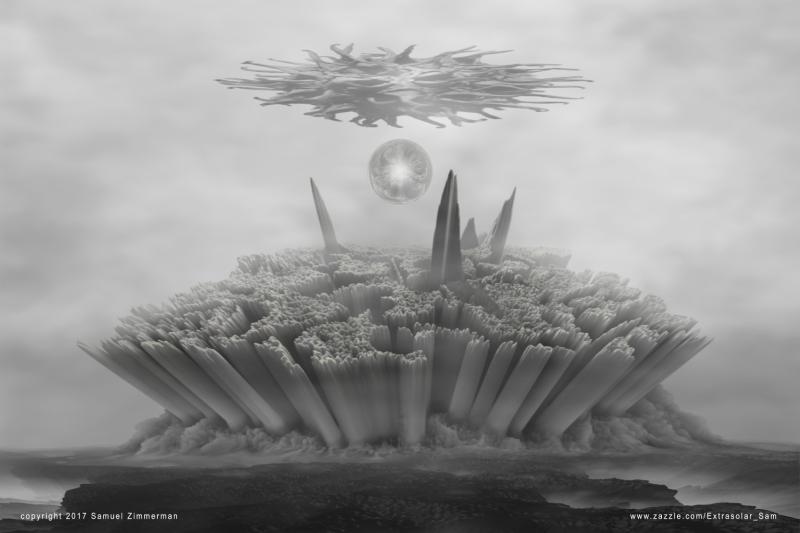
Hello. My name is Samuel Zimmerman.
I started drawing at the age of six when my mother introduced me to colored pencils and markers. At ten, my father bought me my first oil and acrylic paint sets. Through my teens and twenties I studied classical painting methods on my own and assimilated many “old master” techniques into a personal style that is also influenced by expressionism, surrealism and Art Nouveau. During my thirties until now, I've created a broad variety of personal works and commissions including portraits, landscapes, fantasy art and science fiction related themes. Though I've experimented with various mediums such as graphite, water color, acrylic and tempera, my favorite has always been, and remains, oil.
In my mid forties, I began my journey into the world of digital art when an old friend introduced me to Photoshop. I spent about a year and a half familiarizing myself with the software and developing my own approach, first to reworking photos of paintings I'd done, then to collaborations including website design, book covers and works involving other artists and authors photos and text.
Read it all here:
http://www.thebest3d.com/dogwaffle/dotm/SamuelZimmerman/index.html
And that's a wrap, for now. Thanks for waffling and howling!

No longer interested? To remove yourself from our newsletter, please unsubscribe here: http://www.thebest2d.com/feedback/
The good news: You can also use the above link to take other steps: such as to add yourself as a new recipient of our sporadic newsletter, or to change your email address on our records by adding yourself with a new email address and then requesting to remove the old email address. Or, contact us, Phil and Dan, here with clear instructions about which one of your multiple emails to add or remove, or with any other questions: http://www.thebest3d.com/dogwaffle/about - Please do not send attachments unless invited to do so and beware of the format and file sizes.
All content presented herein is
owned by their respective owners. No reproduction is
permitted without written consent from the copyright
holder. Trademarks
and registered
trademarks are used for identification purposes only. No
affiliation, endorsement or commercial favors are implied or intended.