

Multi-Print
Print multiple Images on a single sheet of paper
Print multiple Images on a single sheet of paper
more:plugins
pdmprint = project
dogwaffle multi-print
an intelligent printing utility for Project Dogwaffle and PD Pro Digital Painter, based on the 'mprint' multi-print tool by Martin Wright
an intelligent printing utility for Project Dogwaffle and PD Pro Digital Painter, based on the 'mprint' multi-print tool by Martin Wright

| New!
Multiprint is now free! |
| a great companion for
Project Dogwaffle: AnimeStudio 5  Regular price: $59.95 Sale price: $39.95 (boxed!) |
| a
great companion to
Project Dogwaffle: AnimeStudio Pro 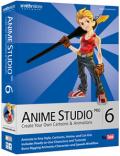 Regular price:
$199.95
 Sale
price: $179.95 Sale
price: $179.95>> free shipping available in the US! |
|
a great companion for
Project Dogwaffle:
AnimeStudioDebut  Regular price: $79.95 Sale price: $44.95 (boxed!) |
Carrara 3D Express: wow! 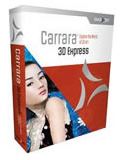 affordable 3D for everyone: around $45 |
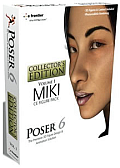 Poser 6 Collector's Edition Regular price: $229.95 Sale
price: only $59.95Free shipping in the US! |
More
Carrara:v7 (download versions at DAZ3D based on v7) Carrara 7 Express Carrara 7 Carrara 7 Pro |
| Can't afford PD Artist at $19?  Someone else will pay for your copy of PD Artist, if you buy something from them first - and there are many products and services to choose from! |
below:
Single-page composition of multiple paintings and filter renderings
from Dogwaffle,
transferred into the multi-print plugin without saving to file. Sent
back
to Dogwaffle to pick up as brush and add shadow drop special FX over
another
image used in the background, then sent back to multi-print for easy
printing.


| What is Multi-Print for Dogwaffle? pdmprint is a printing utility for Project Dogwaffle based on the standalone multi-print (mprint) tool by Martin Wright. It has been enhanced with a number of new features, such as
pdmprint is (c) copyright 2005 Martin Wright, http://fly.to/mwgfx - all rights reserved. This program is provided as is with no warranties whatsoever. We've done much testing and believe this to be a great value-added for Dogwaffle and PD Pro when you want to print your finished artwork. We'll continue to support and improve it as we find enhancements, bug fixes and other things we can do to make it work even better for you (and us too ;-) File Formats for Importing into Multi-Print  MultiPrint for Dogwaffle not only supports image transfer from Dogwaffle to/from MultiPrint, and through the Clipboard, but also still lets you load existing image files as well. These are recognized in many file formats, as shown here to the left. If you use the freeware version of Project Dogwaffle and need more image formats such as Jpeg and Tiff, then you could use Multi-Print for Dogwaffle as a gateway for additional formats since it's possible to load an image into multiprint and then send it back to Dogwaffle with the whole page layout. (you may need to reset the size of the imported image) Installation Notes: The file comes in the form of a zip archive, containing a full installer which also supports uninstallation. User Notes - how to access MultiPrint: mwgfx_MultiPrint_pm.exe - in the Plugins
panel's "Misc." tab.
Press 'k' to open the 'k)iller plugins' panel, and select the 'Misc.' tab to see and select the mwgfx_MultiPrint_pm.exe utility. Double-click it to launch it. You can also include it in the plugins list which are started up automatically when launching Dogwaffle. mwgfx_MultiPrint_pm.exe will call up the multiprinter, and load the current buffer from Dogwaffle as the first image into the page composition. The program will stay on top so it is always visible and any time you press the leftmost ("Load image from Dogwaffle") button it will add the then current buffer image to the collection for your page layout composition. If you need to get the program window out of the way then use the window minimize gadget to shrink it to the taskbar, or simply move it aside near the edge of the screen. To add the current buffer to the print composition page at any time, either press the button (after activating the program from the taskbar if minimized) or run the mwgfx_MultiPrint_pm.exe utility from the Plugins panel again. Running the utility plugin again while the program is already running will restore its window (if it was minimized) and add the current buffer image as a new image into the page composition. It can be used as a general single image printer if required (just run the utility, move`n`size and then use the print buttons) but will then require the user to close it manually after printing. As a "multiprint" utility it can be left running and the user can add images whenever they like. And print as many times as they like. Images can be added to the composition from the Dogwaffle buffer or from a file. What's New in the latest Version? New options on top of the old stand-alone version of multi-Print:
    |
| Download the free Multiprint plugin
installer here: pdmprint_install.exe (size= 4 MB) |
| Read
the User's Guide (1.4 MB) PDmultprint.pdf  |
Use Multi-Print for Dogwaffle to maximize the use of available paper space before printing to expensive glossy photo paper with highest quality inks.

You can transfer the images from the Dogwaffle main buffer to add it into the composition, and you can also add images from saved files.
|
|
Several common image formats are supported within Multiprint, as they are powered by the MWGFX runtime library.

Multi-Print
can also easily be used to print just one image at the desired size
over the page. The interactive layout and visual display of size and
position are very intuitive and easy to use, as is the auto snapping to
the grid.


|
|