

Dogwaffle Languages
Resource files for multi-lingual menus
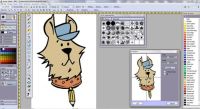



| Fast 3D
sketching, colormap, bumpmap and displacement
map painting and digital & sculpting: Curvy 3D the fun & intuitive way to sculpt!  ...it's not modeling, it's better: It's liberal sculpting! Great for Fantasy Art, Concept Art & 3D Design, making 3D props, ... Special discount coupons available for users of Project Dogwaffle! (ask us) |
Want to help kids who need help? Support ARTS: A Reason To Survive  |
The Language Resource File - for PD Pro 4.0 (or possibly 3.7 too) Prerequisites You need PD Pro version 4. The menus of the main application are based on an external resource file named Menus.txt - the default file is for English menus, but you can replace that file with one for a different language. Note: The menu file was introduced with PD Pro 3.7, so you may also find this to work with PD Pro 3.7, which is a free update for PDPro 3.5 users. Look for your free Dogwafle patch here The file Menus.txt can be found in the folder where you installed PD Pro. By default this should be in the following folder:
C:\Program
Files\PD Pro
C:\Program
Files\Project Dogwaffle Professional
for a fresh installation of 4.0. Wherever it's installed, open that folder and look for a file named 'Menus.txt' Note: this language file is made to work with PD Pro 4 and 3.7 only. Does NOT get used by PD Pro 5 or 6 (PD Howler). Note: If you only see a file named 'Menus' instead of 'Menus.txt' (i.e. it is listed without the '.txt' extension at the end), then it probably means that your computer's Windows Explorer is configured to 'Hide extensions of known file types'. This is an option in 'Folder Options' which can be changed from the Control panel. You can also access and change it in the Tools menu of the explorer window. We recommend that you don't let Windows hide the extensions, so that you can see each and every file in their full name. How to change the language file: Upon starting up, PD Pro will look for and use a file named Menus.txt for its main menus. Before installing a new language file in there to replace the original Menus.txt file, please be sure to make a backup copy of the original. Or, rename the default one which came with the installation: Rename it to a name like 'Menus_english.txt' or simply 'Menus_en.txt', for example. Then simply copy the desired new menu file into the installation folder to replace the current Menus.txt file. Also keep the new language file as a backup, such as Menus_de.txt for the 'deutsche' version. Recommended naming: Menus_en.txt Menus_de.txt Menus_fr.txt Menus_it.txt Menus_es.txt etc... Whichever you want to use, copy that one to Menus.txt also. Available Language Files: Right-click the desired file to save it into the PD Pro folder. Extract the text file found within the zip file. Then rename it to Menus.txt
Do-it-yourself: How to Translate to your own language Warning - DO NOT USE NOTEPAD - If you're interested in creating a Menus.txt file for another language, please use Wordpad (not Notepad - because of tab formating). If you have any questions, contact Philip  |
from 2D to 3D in just
seconds!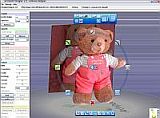 Just trace an outline and see it automagically turn into fully textured 3D shapes for Second Life, Google Sketchup / Google Earth, Direct X & Games, Wavefront OBJ and other popular 3D file formats! Archipelis Designer 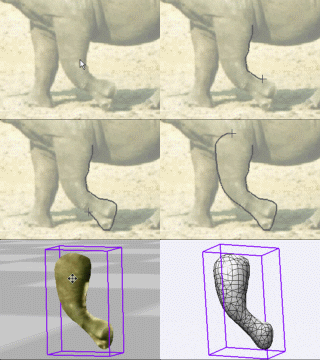 New! now also for Mac, iPhone/iTouch and iPad! |
|
|
|
|
|
|
|


