This
tool comes in the form of an export plugin, with filename ending in
_px.exe. You can thus expect to see it in the Exports tab of the lugins
panel. (Our panel in some earlier versions of PD Pro). The main goal is
to provide a few good exports and imports to common raster image file
formats. You can use it to import an image too. You can also use it to
send or receive an image with the Clipboard.
One handy way to use it is to have it handy on the side while painting,
so you are always just one click away from saving.
Using the General File
Converter
WHen working on an image in Dogwaffle, we recommend saving to its
native format, .tga files (Default Targa). It may not produce the
smallest file sizes, but it's lossless, and loads back quickly. When
you're ready to send an image to a different application, or publish to
the web, or otherwise use the artwork with something that doesn't
understand .tga files, then you'll want to convert the image to another
format, that's when you'll want to use the general file converter.
There may be other very convenient ways to use it. Read on.
|
|
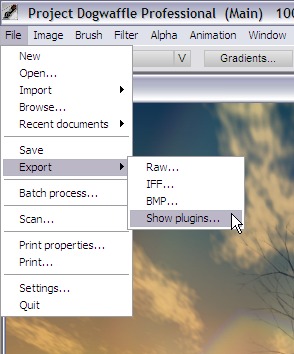
At any moment during
your creating painting, start by launching the plugin. If your version
of PD has the Export submenu in the Files menu, use that to select
"Show plugins..."
You can also open the Plugins panel the traditional way from the Window
menu.
Shortcut 'k' is always a favorite shortcut:
'k' for killer lugins
|
|
|
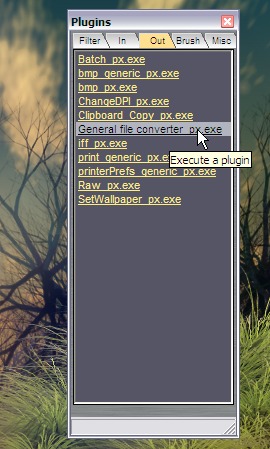
You will want to use
the Export tab (also known as the 'Out' tab).
Run the General File Converter from there.
|

|
<<< click
image to enlarge
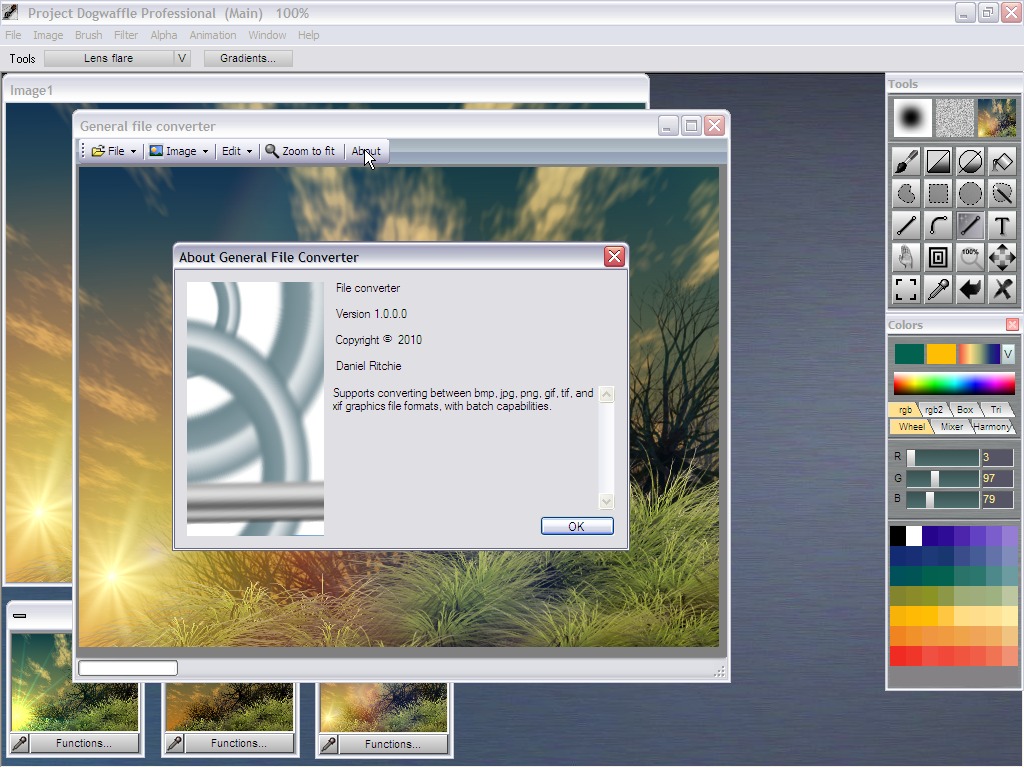
Once the plugin is running, you will see your current image (that which
is in the Main image buffer). You can click "Zoom to fit" to see it all
if it's too big at first.
You can click the 'About' button for info about this plugin.
This version supports the following formats:
bmp
jpg
png
gif
tif
xif
(Tga is not included since that's the native format of Dogwaffle and
found as the default File->Save... option.)
|
|
File Menu
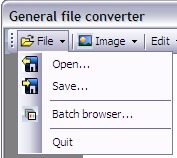
The File menu has the usual Open and
Save items.
Use these to load a new image from file or to save the currently
displayed image to file. Note that if you load an image, it only loads
it from file to the plugin. You then still need to send it to Dogwaffle
if indeed you want to use it in Dogwaffle.
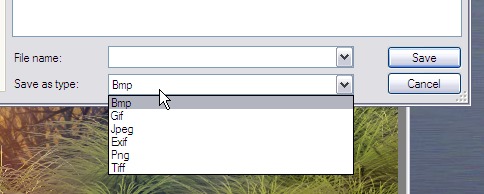
Here's also the list of formats available for saving, or loading.
|
 |
Batch Browser
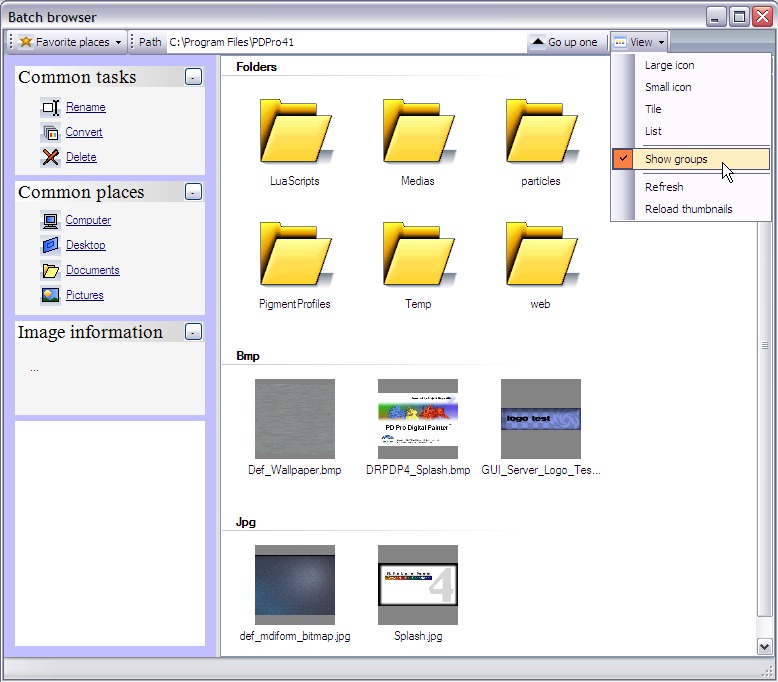
One more option in the File menu is the batch browser. Use it to
navigate through the file system and locate a particular image file.
|
 |
The Image menu
This menu lets you resize the loaded image and see some essential
information about the image.
Most importantly, you can connect to Dogwaffle's main image buffer, and
send the image from the plugin back to Dogwaffle, or grab the current
main buffer image into the plugin: Export to PD, or import from PD,
respectively.
|
 |
Edit Menu
You can also send and receive images from the Clipboard, of course.
SImply use the Copy or paste functions from the Edit menu.
|
Well, and that's basically it for this version of the general file
converter. It is fairly simple to use and straight forward. We
encourage you to try it and keep it handy. Over time you may see new
features added to it, which we think may make your use of it even more
convenient.
|
|
Want more? Learn more
about Pre-Ordering PD Pro 5
|
Learn
More Here:
|
Doggybag
#5
|
| Tunnel |
| General File Converter |
more coming soon:
|
Graphic Halftone
|
| (Brush) Keyframer
1.1 |
Lua scripts
|
Get
the best discount now:
|
A Buck or two for a
Great Cause!
Please support us with a
small donation if you can
spare a little.
Can't purchase or upgrade yet? Still want to help
and
support the development of the next generation of PD Pro? If you'd like
to help out, we've set up this donation button which will send your
funds directly to Dan Ritchie, our star programmer.
Your
generous donation will also help
cover
the cost of hosting of free tutorials and maintaining the current
versions as
well as developing
future versions.
|
And now for
something completely different...
Have you
tuned your Ukulele, lately?

UkeTuTu.com
the Ukulele Tuning
Tube |
Digital
Painting has never been
so much fun: Learn to
paint with Particle Brushes!

PD
Particles
A fun companion for your
digital
photo image editor!
powered
by Project
Dogwaffle
Can't
afford it on your own?
 |

|
|