

First Steps
| More Tutorials |
Intro
Video amongst
PWS's Facebook Videos (must be logged into Facebook) |
|
Start by creating a new Project from the File
menu, or double-clicking
the 'New' icon in the Projects tab. You will
probably already find
yourself in a new project the moment you start the
program.
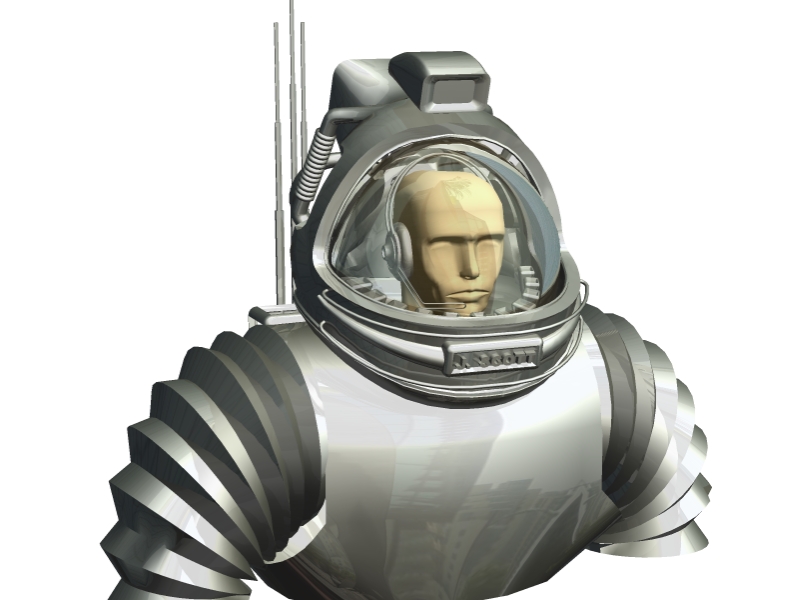 Find
an interesting image and add (Insert) it to the
collection for this
project. If you can't think of any, perhaps you
have a 3D program
handy, such as Carrara, Poser, DAZ Studio or
Amapi, in which you might
find an interesting 3D model or scene from its
presets. Render one of
those in a plain and simple style, perhaps with a
little reflection and
environment map. Here's an example from a
spacesuit model that was
included with Amapi 6.1. (click to view and
download the larger version
at 800x600) Find
an interesting image and add (Insert) it to the
collection for this
project. If you can't think of any, perhaps you
have a 3D program
handy, such as Carrara, Poser, DAZ Studio or
Amapi, in which you might
find an interesting 3D model or scene from its
presets. Render one of
those in a plain and simple style, perhaps with a
little reflection and
environment map. Here's an example from a
spacesuit model that was
included with Amapi 6.1. (click to view and
download the larger version
at 800x600) You
can do that in two ways. From the File menu,
select You
can do that in two ways. From the File menu,
select File > Load image... You can also use the 'Insert' key as a shortcut. Another nifty way is to use the icon in the lower left where the objects are listed. 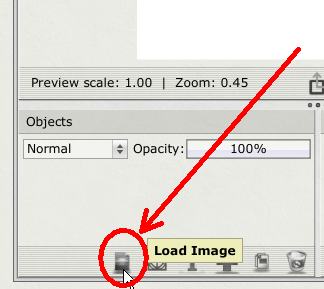 |
|
|
| More Tutorials |