from
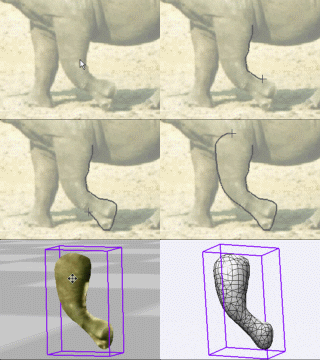
2D to 3D in just seconds!
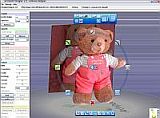
Just trace an
outline and see it automagically
turn into
fully textured 3D shapes for Second Life, Google Sketchup / Google
Earth, Direct X & Games, Wavefront OBJ and other popular 3D file
formats!
Archipelis
Designer
rapid
3D model creation and prototyping from mere images - for 3D content
creation, games, IM Avatars, SL models, 3D illustration in Photoshop(R)
and more
New!
now also for Mac!
|
Affordable
2D
+ 3D Software
Animation
Tools
at lowest prices!
Poser - Anime Studio -
Carrara - Manga Studio - Bryce
and much more
from Purplus
|
Inventory Blowout
Sale:

Poser 6 (boxed!) at
lowest prices:
for
MacOs
or Windows
|
a great companion to
Project Dogwaffle:
AnimeStudio
is on sale!

Regular price: $59.95 Sale
price: $39.95 Sale
price: $39.95
(boxed!)
|
a great companion to
Project Dogwaffle:
AnimeStudio Pro
is on sale!

Regular price:
$199.95
Sale
price: $179.95
>> free shipping available in the US!
|
|
Storing the current Spritesheet
We're about to convert the spritesheet to an animation. If you want to
later return to the original spritesheet, it's a good idea to
temporarily store it.

Use Buffer>Store Buffer
(or Image>Store Image) to store a copy of the current image of
the spritesheet.
Converting the
Spritesheet to Animation

Now that the image cells are all readily in a single spritesheet, use
the Plugins panel to get to the plugin. You can also use the keyboard
shortcut:
'k' for killer plugins
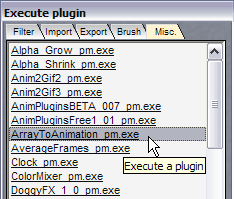 Select
the "Misc." (Miscellaneous) tab. Select
the "Misc." (Miscellaneous) tab.
Find the plugin:
ArrayToAnimation_pm.exe
If you haven't added it yet to your installation, get it from the plugins page.
Double-click the plugin to launch it.

If you have 16 frames in a 4-by-4 array layout. enter these numbers in
the plugin's panel.
Then click OK.
<<< click to enlarge
After a short time you'll see a smaller window, with just the first of
the 16 image cells showing.
The Artist guides are still enabled. You might want to disable it at
this time.

The lugin also enables the Animation tool panel with playback control.
If you have a version of the toolpanel which includes the Options menu,
use it to switch to Filmstrip mode:

You should now see the image cells from the spritesheet, sequentially
appearing in the filmstrip of the animation.

And that's it, the array of images are now in an animation. You can not
do many other things, such as reversing the sequence, time stretching,
lots of filtering along the timeline, and of course save the image
image sequence or animation as AVI file (depending on which version of
PD you have)
|
|
Shop
at Purplus
for
more great Software & gadgets, games, security tools and
productivity solutions at lowest prices!
|
Fast
3D sketching, colormap, bumpmap and displacement map painting and
digital & sculpting:
Curvy 3D
the fun & intuitive way to
sculpt!
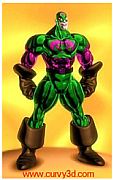
...it's not modeling, it's better:
It's
liberal sculpting!
Great for Fantasy Art, Concept Art & 3D Design, making 3D props, ...
Special discount coupons available for users of Project Dogwaffle! (ask
us)
|
|