

beyond the basic shape

 |
| Getting
started with Digital Painting on a slim budget:  PD Artist now 19! Draw, Sketch, Animate & Paint powered by Project Dogwaffle
|

 |
Real-time Displacement Maps: Curvy
Maps!
Now, let's explore another
type of map: the Curvy map, which is a realtime displacement map. This
lets you create very complex and amazing 3D shapes, controlled by an
image. The image dictates the amount of displacement, which is applied
even if there are still some editing curves defining the base shape of
the object. You can still edit the curve, and the the displacement will
re-apply dynamically.
For starters, let's create some interesting patterns, such as the nweave pattern in Dogwaffle. 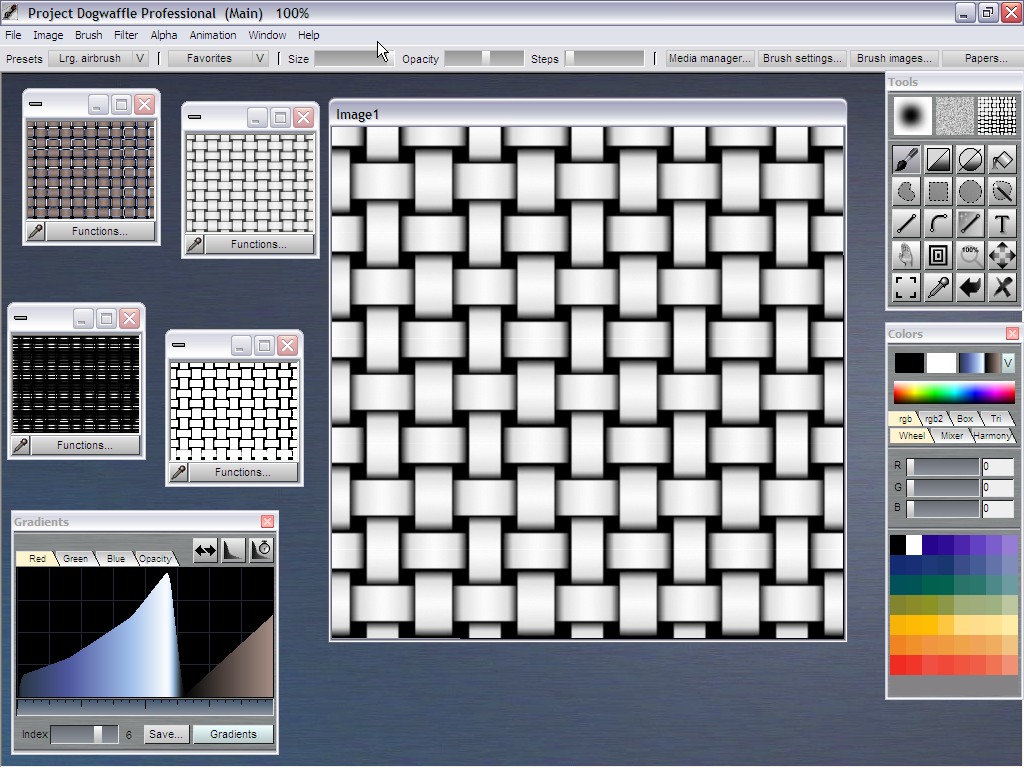 Back in Curvy 3D, let's create and select a simple shape, such aqs a sphere, onto which we'll apply the texture in various ways: base color map, bump map, and displacement map, aka Curvy map.  Click the Base Colour icon, to make it the current texture: 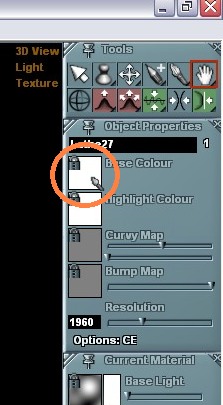 If the texture is still in a running session of Dogwaffle, fetch it directly from there. Otherwise load it from a saved file by right-clicking the Base Colour icon. 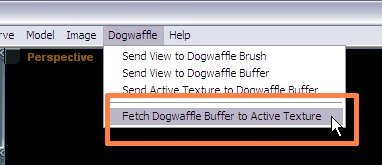 We have just applied the chosen texture to the Base Colour. Now that it's loaded, we can also apply it to the Bump Map. Click the bump map icon and select the desired texture from those available.  And of course also to the Curvy Map: 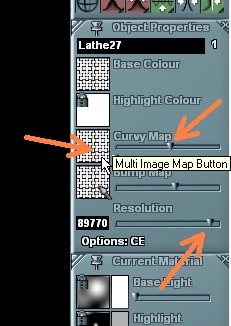 Pay attention to the Resolution of the object. If the mesh is too coarse, i.e. if it has few polygons, you may not see the fine intricate details of displacement that the texture image can generate. The Curvy Map uses two control sliders: (1) a displacement amount and direction, with zero value in the middle, and (2) a smoothing value to blend out some minor noise in the image (such as Jpeg compression noise but also useful to generally create a more rounded appearance to the displacement hills and valleys). And there it is, our sphere with a totally new look: The image-based displacement map has reshaped the geometry. You can tell along the edges of the sphere that this is not just a lighting gimmick like in the case of bump mapping - this is true mesh deformation, realtime displacement mapping.  Notice the yellow curve along the right side: the original construction curve for our sphere, which was a semi-circle, is still present. We haven't converted the object to a mesh representation yet, so we can still edit the curves, if any. You can grab a hold of the curve with the Widgit Move or Widgit Rotate tools and redefine the base shape.  The Curvy map is constantly re-applied to the new base shape, in realtime. Curvy maps are realtime displacement maps!  With just a few more changes in the curve's shape, this is easily possible:  Now you'll also want to use differently colored textures. In Dogwaffle, apply a colored gradient to the prior Weave pattern image, and reload the Dogwaffle image directly into Curvy's currently selected map. Change the shape curve too if desired. Here's another result:  And yet another:  The possibilities are sheer endless. Using an image to control the displacement of the base mesh opens a new dimension in image-based modeling. Plus, we have only used the solid RGB channels so far. When we also have alpha transparency in the Colour Map, we can open holes in the object and create even more intriguing shapes. |
| Spheres
Tutorials |
| Drawing
a Sphere |
| Base Color Maps |
| Bump
Maps |
| Displacement
Maps |
| Beginner
Tutorials |
| Photoshop 3D Layers |
| Bones
101 |
| Teapot |
| Dogwaffle 101 |
| Teapot Confetti |
| Renaming &
Grouping |
| Booleans |
| Web Graphics |
| Smooth |
| Monkeyfaces |
| Straight Lines |
 |