The Problem:
Your Project Dogwaffle
doesn't start anymore. Perhaps it worked for a while, perhaps for many
weeks or months, but now suddenly it fails to launch. Instead, you get
some sort of Runtime error with a number.
The Solution: (perhaps)
In many cases (but not
all) this can be caused by a corrupted system registry. This can in
turn have been caused by a bad disk block or a virus or spyware
corrupting parts of the system registry.
Dogwaffle writes some information about itself into the reegistry, such
as the position and size of the various panes, which panels are visible
etc... Such information is then used the next time you launch
Dogwaffle, in order to return to the same configuration as how you left
it. If for some reason there is now bad data in the registry, it can
cause weird things to happen. For example, imagine if the width of a
panel is changed from 200 pixels to 200,000 pixels. It is
possible that in such cases the program may run out of memory just
trying to allocate a widget of the indicated (corrupted) dimensions.
One of the easiest things to do in such cases is to reset the entries
of the registries which are used by Dogwaffle. If you are a savvy
Windows user and are familiar with the system registry, you could use
regedit to located and remove all registry entries found here
- for most
versions of Dogwaffle including PD Pro:
HKEY_CURRENT_USER\Software\VB and VBA
Program
Settings\dogwaffle\WindowData
HKEY_CURRENT_USER\Software\VB
and VBA Program
Settings\Optipuss\WindowData
(Note: Optipuss (or
Optipustcs) is the internal codename for PD's particle brushes)
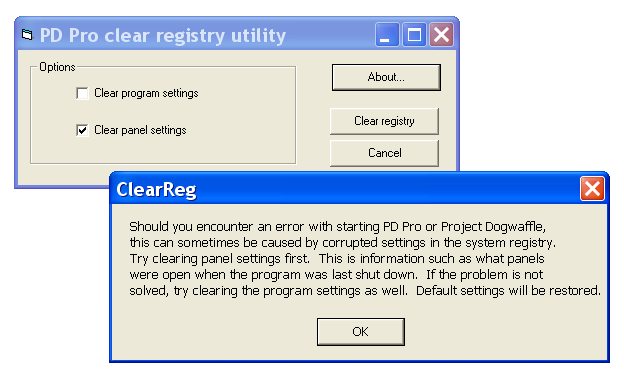
However, if you are not sure about this, you may want to use our simple
utility. It is a free program created by Dan Ritchie, author of Project
Dogwaffle and PD Pro, and the only purpose of this program is to remove
some of the Dogwaffle-specific registry entries.
To download the program click here: DogClearReg.exe
size: 12.5 KB (12,800 bytes) - Note that DogClearReg will not
work for PD Particles.
You can save the file to your disk and then run it, or for a one-time
use simply Open it from the link if your browser offers that option.
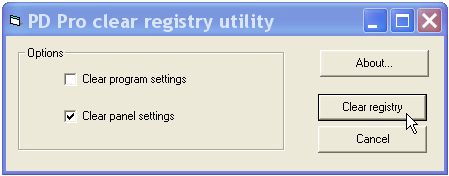
If that still doesn't fix the problem then there's something else
happening.
|

 Project
Dogwaffle & PD Pro:
Project
Dogwaffle & PD Pro: