|
|
|||||||
|
|
||||||||
 beyond
digital
painting:
beyond
digital
painting:Whats Cool? ...with Project Dogwaffle & PD Pro Digital Painter |
||||||||
|
||||||||
|
|
||||||||
|
|
|
|||||||
|
|
||||||||
|
beyond
digital
painting: Whats Cool? ...with Project Dogwaffle & PD Pro Digital Painter |
||||||||
|
||||||||
|
|
||||||||
Some of the many Features found in PD Pro Digital Painter are shown here. A summary main feature list can be found here.
 |
Foliage brushesa rules-based system to take particle brushes where no
particle brush has gone before |
New in v8 |
|
 |
Motion Prediction Maniaslow down, James, you're going too fast! |
New in v7 |
|
|
|
included since PD Pro 4.1: Waving in the BreezeTake any custom image (such as that of tall grass, created in PD Pro's particle brush system) and transform it so it appears to be waving in the breezy wind |
|
|
|
included since PD Pro 4.1:Animated Lens FlaresCreate very cool animations, new from scratch or on top of your existing video clips! |
||
|
included since PD Pro 4.1:Animated Swap Buffertake your image or animation and... well,...animate it even more! displace it! wiggle it! combine it!... |
||
|
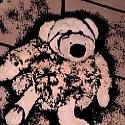
included since PD Pro 4.1:the Woodcut Filtertake your digital camera's image and chisel it to the next level |
||
|
|
included since PD
Pro 4.1:Animated Skieseasily create new & unique backgrounds for your presentations and video projects |
||
 |
included since PD Pro 4.1:More parameters for Particle brushesuse Age Decrementing to reduce branch length and size as you paint with particle brushes (optipustics) |
||
|
|
|||
 |
Motion TrackingUsing the Motion Tracker to change stuff in a video. In this case adding a bright star over a faint one. |
||

|
Making Music Video clips- with Poser- with stock video - with MooNSTER - looping anims |
||
Using Forcefields with Particles for still images and animated material - details here |
 |
||
 |
From
Still image to Animation: Post work got a photo? a 3D rendering? make it a moving experience! details here |
|
|
 |
The Radiant lens
flare render engine - photographers hate it, CG artists love it! |
||
 |
Optipustics
Particle Painting System see what's new in 1.6? Also: PD Particles (a product derived from a subset of PD Pro 4's particle system, without image-based large or animated particles but still awesome particle brush magig, bristle brushes and lots of natural media tools!) |
||
 |
|
||
 |
Doggybag
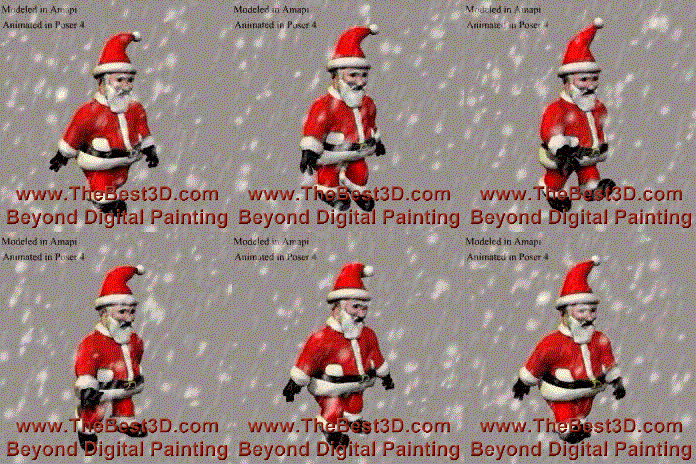
#1 a new snow effect filter for the animation timeline editor
details here
You can do a number of video related things, post work, such as de-interlace, re-interlace, retime. Then you can apply effects and filters to image sequences from the animations. Other post-work
special fx on animations > here
|
||
 |
Tricks
with
Alpha Channel and the Selection masks |
||
|
|
|||