

setting up bones for posing in Curvy 3D 2.0
Also supports
3D Layers:
 |
After you're done
with sculpting
and modeling,
take your art
to the next level:
 |
 The perfect marriage: |
| Can't afford PD Artist at $19?  Someone else is willing to pay for your copy of PD Artist, if you buy something from them first - and there are many products and services to choose from! |
part 4: Arranging the Bones in a Linked Hierarchy You could have a bone here and another there, bones anywhere, and they could affect some body parts just locally. But, the more typical way to use them is when they are linked together, such as the upper leg's bone to the lower leg's bone, and on to a few more in the foot. You can create this linked hierarchy from the top down or bottom up. Example: working from the toe to the foot and back through the top of the leg. Grab the lowest bone and drag it into the prior bone:  Simply drag and drop the bone into the preceeding bone: 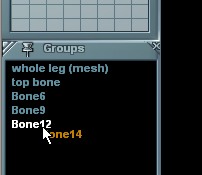 Now Bone14 (which we dragged into Bone12) is a child to Bone12: 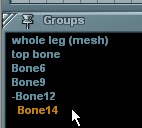 Repeat the same with Bone12 and drag and drop it into its prior, Bone9: 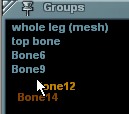 Drop bone 12 into bone 9: 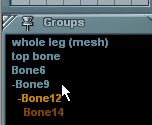 Here's the final setting, with a cascading hierarchy of bones that are linked together: 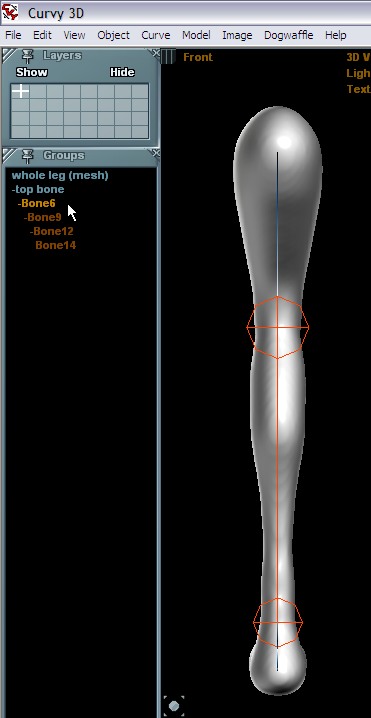 One last thing: drag and drop the mesh object ((whole leg (mesh)) into or below the top bone: 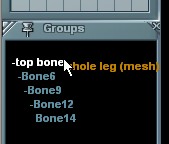 The hierarchy now looks like this: 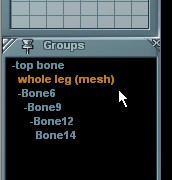 - (mesh) -- bone --- bone ---- bone etc... Step 5: Enabling Posing Mode... |
| Beginner
Tutorials |
| Getting Started |
| Photoshop 3D Layers |
| Bones
101 |
| Bones
101 |
| part
1 |
| part
2 |
| part
3 |
| > part
4 < |
| part 5 |
| part 6 |
| part 7 |
Other 3D tools:
| HOT! Archipelis Designer 3D sculpting on the iPad  on iPhonetoo! |
|
|