
PD
Howler Downloads
Fast Digital Painting, powered by Project Dogwaffle



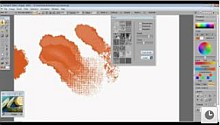
new lighting tool:








Ready to waffle and howl even better?The Free Demo / Trial Versions
Here are free
demo trial versions of PD Pro Howler, powered by
Project Dogwaffle, just so you can take a sneak
peek and fall in love with it. |
Please subscribe to our newsletter |
Included with V9 and v10:

3D Toon
Sticker
Brushes
by Michel Agullo


Some demo downloads
available at SoftPedia:

| Get your PC
ready: |
| get MS .NET framework 4 |
| Pre-requisite? |
You may need the Arial Narrow font installed too. (depends on the version) |
| Stay connected |
|
Stay Informed of newest released, free updates and additional content!
|
| Beware |
|
Sometimes it is
difficult to find the right download link from
hosting partners listed below, as they have
many other products advertised on the same
page. The big green DOWNLOAD button is not
necessarily the one for our product. Read
before you click. It can be misleading at
times. We apologize for the inconvenience.
|
| Important |
|
Regardless
of where you download it from, always take the
time to scan the downloaded file for malware
such as viruses and trojans.
If your antivirus program reports a problem, it could be a false positive, i.e. false detection, as we've seen in the past. But better be safe. Contact us if you have questions. |
| Download &
Scan |
|
Please
don't open the file from the links directly.
Save it first, for example to the desktop.
Save the downloaded file, then open the
folder where you saved it, and right-click
it and select the option to scan it with
your antivirus program. We also recommend
using an additional scanner for a second
opinion. After
you've determined that it is safe to open,
run the installer to install this demo
version and explore and discover.
|
| About downloading
from Download.com |
|
Download.com may
offer the installer download in two different
ways: one has our installer within their
wrapper linked to the big Download Now button,
and another with a text link below that, named
'Direct Link' which points directly to just
our installer.
Their wrapper installer includes an additional piece of software that can deliver ads which are related to software or content of interest. Some anti-spyware software may flag this as adware or potentially unwanted software. If you're not comfortable with that download, please use the Direct Link option, or use a safe alternate site. |